
The ERAS Photo Guide: Every Rule and the Fastest Path to a Compliant Headshot
A complete ERAS Photo Guide with exact specs, attire, background, and the fastest legitimate ways to get a compliant residency headshot in 2026.

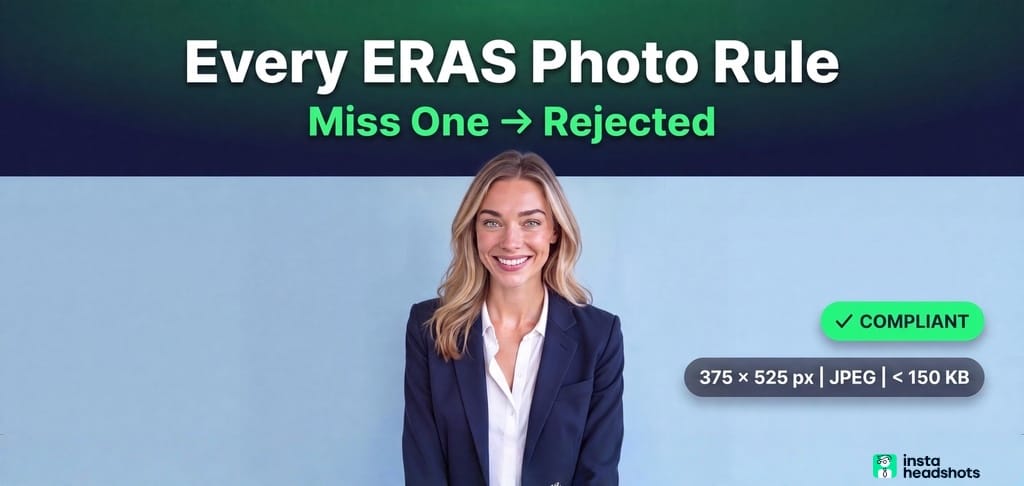
A friend applying to residency showed me two quotes for the same photo. One studio wanted $300. Another applicant paid $19 for an AI version that passed on the first upload.
I went deep on this because the confusion is real. Most applicants think an expensive photographer guarantees a compliant photo. It doesn't. The official rule list is three numbers long, and the rest is community practice that most guides get partially wrong.
If you're stressed about getting rejected, looking unprofessional, or blowing your budget during an already expensive cycle, I've mapped the whole thing. Here's every rule, the real spec, and the fastest legitimate way to get a photo program directors accept.
The One-Line Compliant Spec (Save This)
Here's the answer up front. Lock your photo to this configuration and it passes every version of the spec:
375 x 525 pixels, JPEG, portrait orientation, color, under 150 KB.
That's it. If your file matches those five things, you satisfy both the official rule and every vendor guide I found.
The official AAMC spec is deceptively short. The AAMC applicant page lists only three hard numbers: 2.5 x 3.5 inches, 150 dpi resolution, and a 150 KB maximum file size. It says nothing about pixels, file format, background, or attire.
That silence is why guides disagree. Some say JPEG only. Some allow PNG. One New York studio even cites 100 KB instead of 150 KB. My rule: default to the strictest interpretation and you're safe everywhere.
| Spec | AAMC Official | What I Recommend |
|---|---|---|
| Print dimensions | 2.5 x 3.5 in. | Same |
| Pixel dimensions | Not stated | 375 x 525 px |
| File format | Not stated | JPEG (.jpg) |
| File size | 150 KB max | Under 150 KB |
| Aspect ratio | Not stated | 3:4 portrait |
| Color | Not stated | Color (RGB) |
Aspect ratio is where most photos quietly fail. Platforms crop by shape, not file size. If your ratio is wrong, the system stretches or cuts your face. I cover this in more detail in our headshot dimensions guide, and it's the single most overlooked technical trap.
Why This Photo Matters Less Than You Fear (But Still Matters)
Here's the reassuring part. A better-looking photo does not win you interviews.
A 2026 retrospective study in JMIR Medical Education analyzed 2,681 applications across 10 specialties. On the raw numbers, each extra point of "attractiveness" was tied to a 19% higher interview likelihood. But that link disappeared once researchers controlled for demographics, experience, and especially USMLE scores.
Translate that: your photo is not a beauty contest. The real risk is not looking slightly less polished than peers. The real risk is failing validation, looking outdated, or looking so different in person that interviewers get confused.
Most growth problems are structural, and so is this one. The photo's job is to be unambiguous. Compliant. Recognizably you. Nothing more.
That said, program directors do see it. The AAMC states the photo is "most often used by programs to help identify applicants when reporting for an interview." In practice, reviewers, interviewers, and selection committees can all see it during the process. A careless photo sends a soft signal you don't want.
Attire: Business Formal, No White Coat
The strongest consensus is business formal. A navy, charcoal, or black blazer over a solid white or light blue collared shirt is the default.
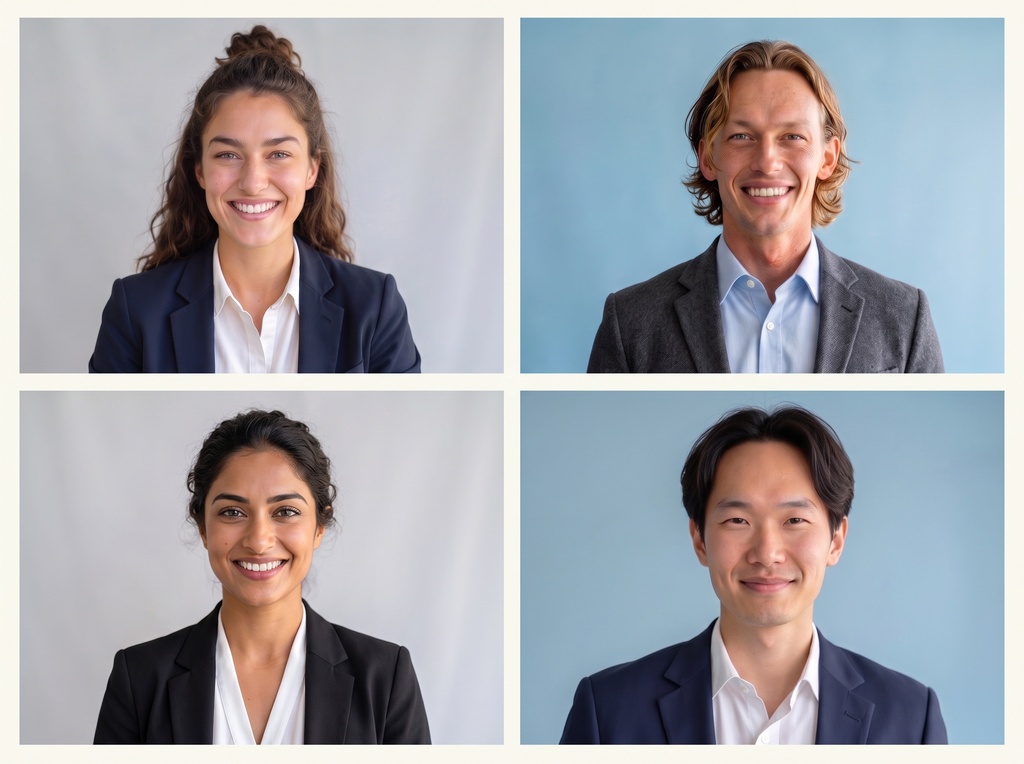
Avoid loud patterns, logos, and jewelry that pulls attention from your face. Solid colors photograph better in a tight crop. A Pittsburgh headshot studio lists safe solids as navy, charcoal, black, burgundy, or dark forest green.
On the white coat, sources split. Some call it optional if clean and pressed. A NYC photographer advises against it because it can read as costume. My take: skip the white coat for the primary photo. Save it for institutional use.
Fit and neckline matter more than fashion. Anything that gapes or sags gets more obvious in a close crop. Our what-to-wear guide breaks down necklines and colors that hold up when the frame is this tight.
Background: Light, Solid, and Slightly Blue
The dominant recommendations are white, light gray, and light blue. Keep it plain and solid.
Here's a detail most people miss. Pure white blends into the white MyERAS page and can look blank or cut off. A light blue or pale gray backdrop is more forgiving. It's also the photographer-favored default, and blue happens to signal trust in healthcare contexts.
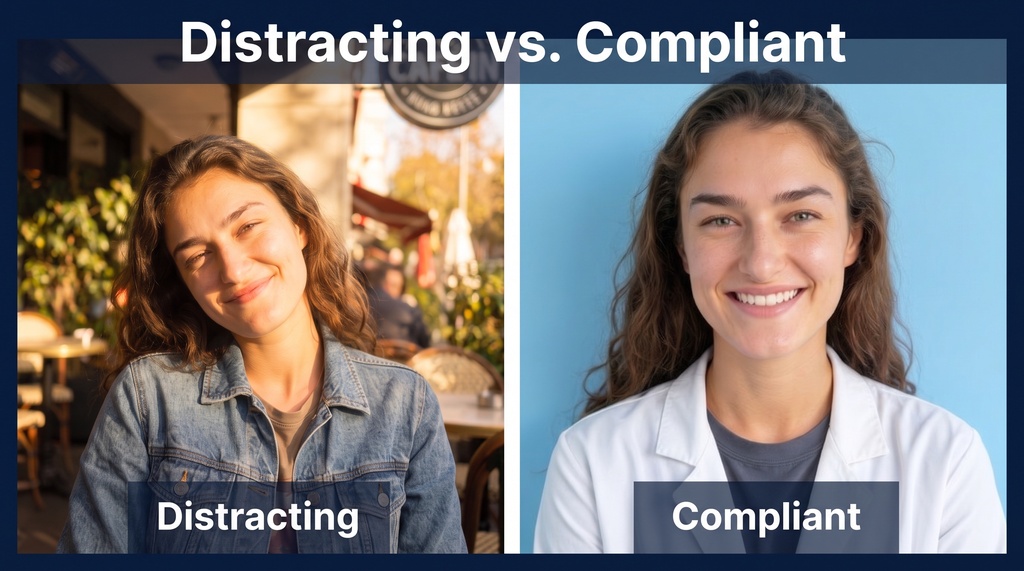
No gradients. No "Instagram-worthy" outdoor shots with blur. Those get flagged as distracting every cycle.
Framing and Expression: Head-and-Shoulders, Soft Smile
The composition rule is head and shoulders visible, face centered, eyes at roughly the upper third of the frame.
Expression should read professional and approachable. Aim for a natural, slight smile. A forced smile that looks stiff or anxious is a common mistake flagged by IMGPrep.
The trick with smiling is the eyes. A soft smile that reaches your eyes reads confident. Lips-only, with flat eyes, reads forced. Think "meeting a new colleague," not "passport photo."
Recency: Take It 4 to 6 Weeks Before Applications Open
AAMC has no official rule on photo age. The community consensus is to take it 4 to 6 weeks before ERAS opens.
The 2027 season is live now. The ERAS timeline shows the season began June 4, 2026, and residency applicants can start submitting on September 2, 2026.
So the time to lock your photo is June or July, not September. A working St. Louis photographer maps the booking window bluntly: June-July is ideal, August is tighter, September is emergency territory, and October is too late for most programs.
A stale three-year-old photo is a soft signal that you're disengaged. Shoot fresh every cycle. If your photo doesn't match how you look at interview, one photographer notes that major discrepancies raise flags with program directors.
The Mistakes That Get Photos Rejected
Most failed uploads are preventable. The recurring list is short and predictable.
- File too big. Professional camera files routinely exceed 150 KB.
- Wrong format. HEIC from iPhones is not accepted. Convert to JPEG.
- Wrong aspect ratio. Using a tight passport crop or a landscape photo distorts the frame.
- Manual resizing blur. Stretching a small file to 375 x 525 makes it soft.
- Distracting background. Outdoors, gradients, bokeh.
- Casual attire. Scrubs, hoodies, t-shirts, sunglasses.
- Forced expression or harsh lighting.
- Bad filename. Spaces, accents, or special symbols can break the upload.
- Forgetting to assign the photo. A top-five mistake. Upload is not the same as assigning it to programs.
- Submission-day upload. You hit the deadline with an error you can't fix.
My advice: build a pre-upload checklist. Check format, file size, pixel dimensions, and aspect ratio before you click. That eliminates the vast majority of failures. Execution is a strategy. If you want a second set of eyes, run your photo through our free ERAS Photo Checker to confirm it's compliant before you upload.
Studio vs. DIY vs. AI: Pick by Time, Not Price
Here's the myth I want to kill. Cost is not the gating variable. Compliance is. A $300 studio, a $19 AI tool, and a $75 DIY setup can all produce a passing file.
So choose your path by how much calendar you have left.
| Path | Price | Turnaround | Best For |
|---|---|---|---|
| Professional studio | $149 to $300+ | 1 to 7 days | Highest authenticity, you have time |
| AI headshot tool | $19 to $69 | Minutes to 2 hours | Fastest, under a week left |
| DIY smartphone | $0 to $100 gear | An afternoon | Full control, you enjoy tinkering |
| Campus photo day | Often free | Same day | Lowest cost if available |
Studio prices run from $149 with 24-48 hour delivery up to $250-plus sessions with 7-day turnaround. If you have a July slot, a studio is a clean, safe choice, especially if you'll reuse the photo on LinkedIn.
The DIY Path
DIY works if you have a week and some patience. You need a smartphone, a tripod, a solid neutral backdrop (a paper roll runs about $25), and even light from a window or a cheap ring light.
Frame head and shoulders, eyes in the upper third, soft smile. Then downscale and compress to 375 x 525 px, under 150 KB, using free tools like Preview on Mac, Paint on Windows, or an online compressor. Our DIY headshot guide covers the lighting and composition principles that separate a decent home photo from a bad one.
The tradeoff: the entire compliance burden sits on you, and DIY often takes dozens of takes to get one usable frame.
The AI Path
If you're reading this in August with a week left, AI is the only same-day option that reliably hits the spec. Good tools pre-crop to 375 x 525 px and keep the file under 150 KB by default.
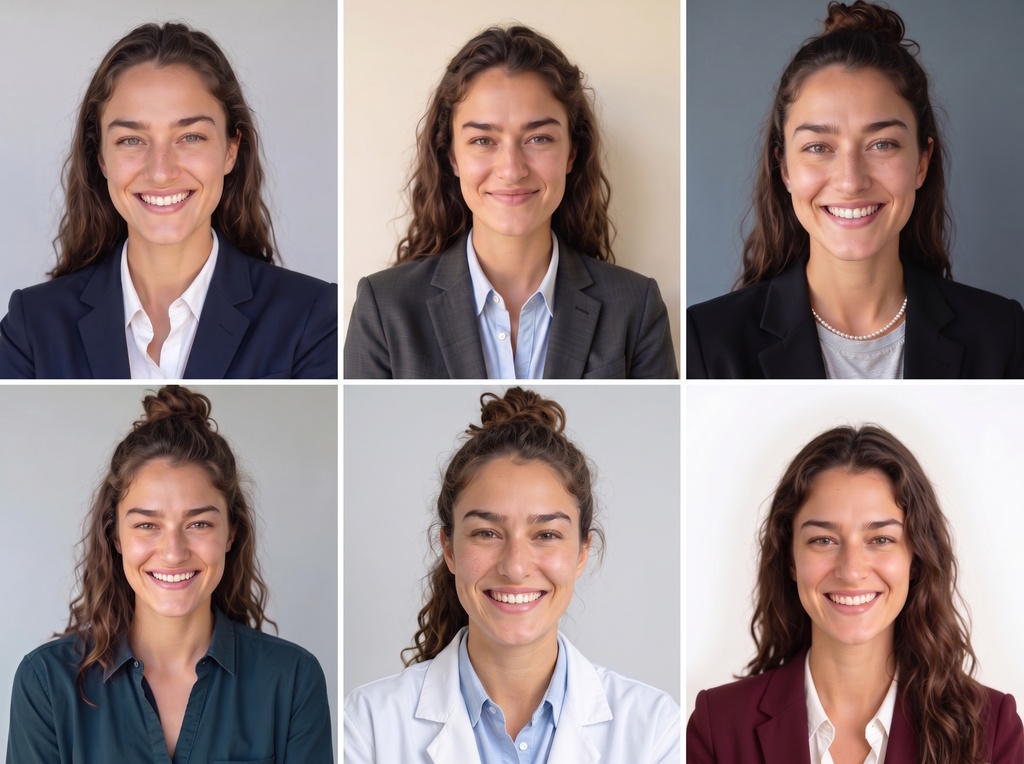
Tools like InstaHeadshots generate dozens of options from 10 selfies in as little as 15 minutes, with outfit and background control that helps you match ERAS rules. Plans run $49 to $69, which is a fraction of a studio session. You get 40 to 200 photos to choose from instead of 4 or 5.
Here's the honest caveat. AAMC has no rule banning AI headshots. Its AI policy only addresses letters of recommendation, and states ERAS does not use AI to sort or evaluate applications. So the legal risk is essentially zero.
The reputational risk is not. Some photographers report applicants being questioned about AI photos at interviews because program directors want to see a real person. The rule that matters is not "is it AI?" It's "does this still look like me in the room?" If a tool over-smooths or reshapes your face, don't use that output. Pick the natural one.
A Note for International Medical Graduates
IMGs don't upload directly to MyERAS. Your photo goes through the ECFMG/Intealth MyIntealth Applicant Portal under ERAS Support Services.
That's an extra layer. You set up a MyIntealth account for identity verification, upload the photo there, and ECFMG transmits it to ERAS. After transmission, you must verify the assignment in your MyERAS dashboard so it actually attaches. Build in extra lead time. This is a common IMG-specific failure point.
My Bottom Line
The ERAS photo is governed by three official numbers and a pile of community consensus. Meet the composite and you're done. Constraints create clarity, and here the constraints are simple once you know them.
Your compliant target, one more time:
375 x 525 px JPEG, portrait, under 150 KB, neutral light background, solid business attire, head-and-shoulders, eyes in the upper third, natural slight smile, no white coat, no heavy retouching, taken within the last few weeks.
Don't overspend chasing a glamorous photo. The evidence says it won't move the needle once your scores are in. Spend your energy getting the spec exactly right and looking like yourself.
Then pick your path by calendar. Studio if you have a July slot. AI if you have less than a week. DIY if you have a week and like the control. Any of them can pass. The buck stops with you on hitting the checklist before you upload.